Paper scripts? Scan them first.
Scan a set of handwritten work on your phone into a PDF, share it to your laptop, then mark it in TickSmith.
Open the Scanner →Mark handwritten essay PDFs with feedback stamps and WWW/EBI fields, then export polished feedback - without anything ever leaving your browser.
Tested as of September 2026 on desktop Edge, Chrome, and Firefox (Windows/Linux). Not yet supported on iPad.
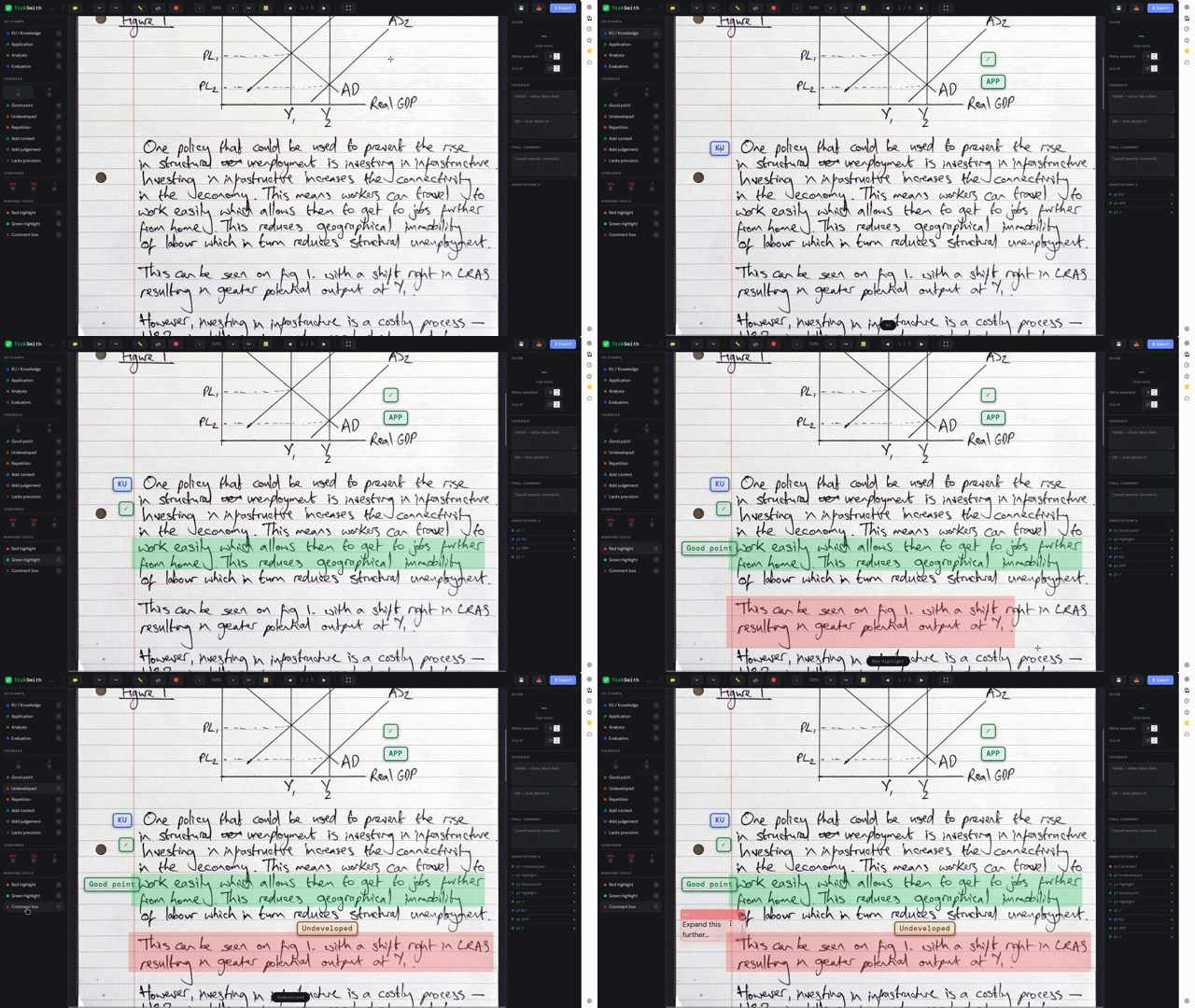
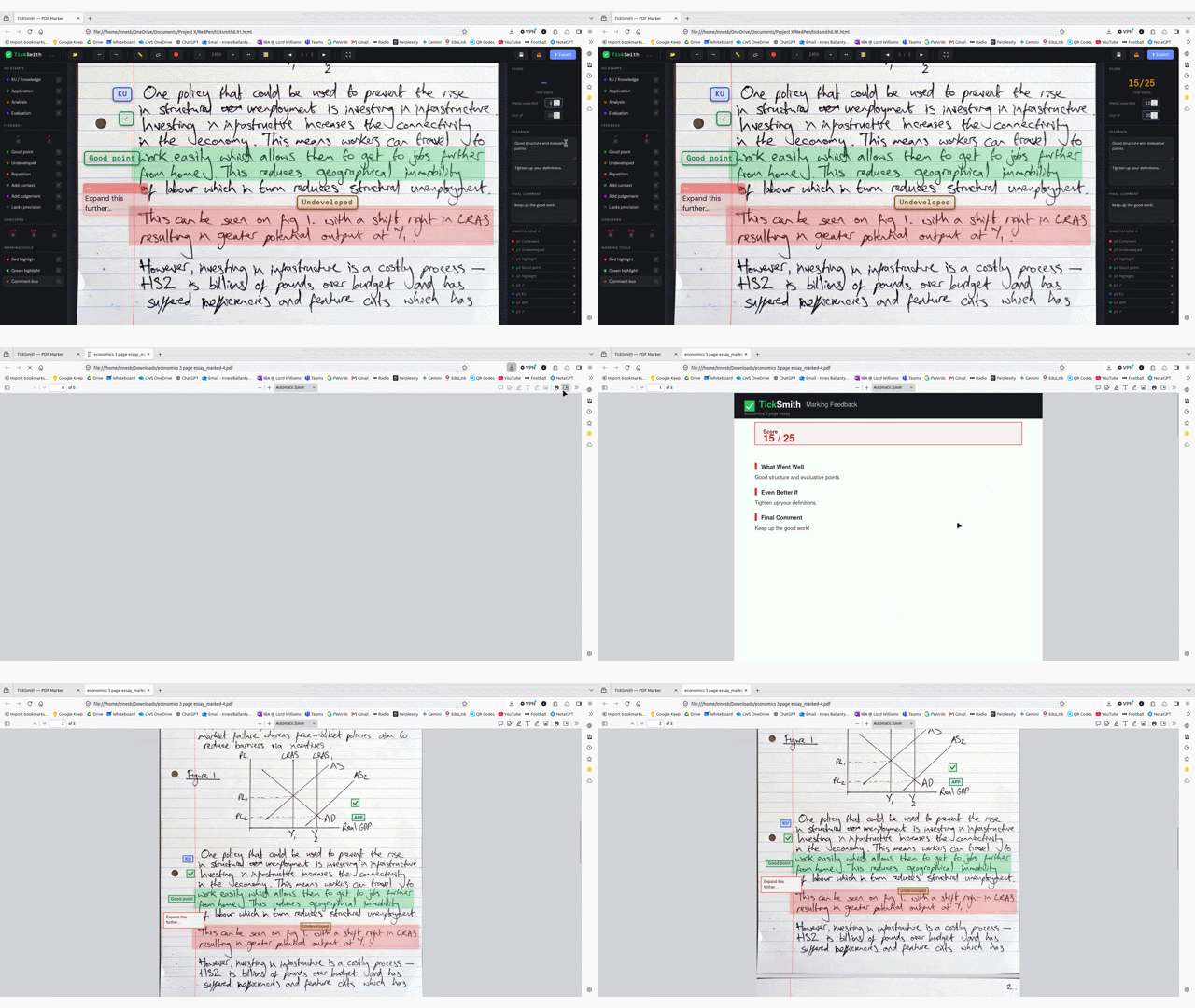
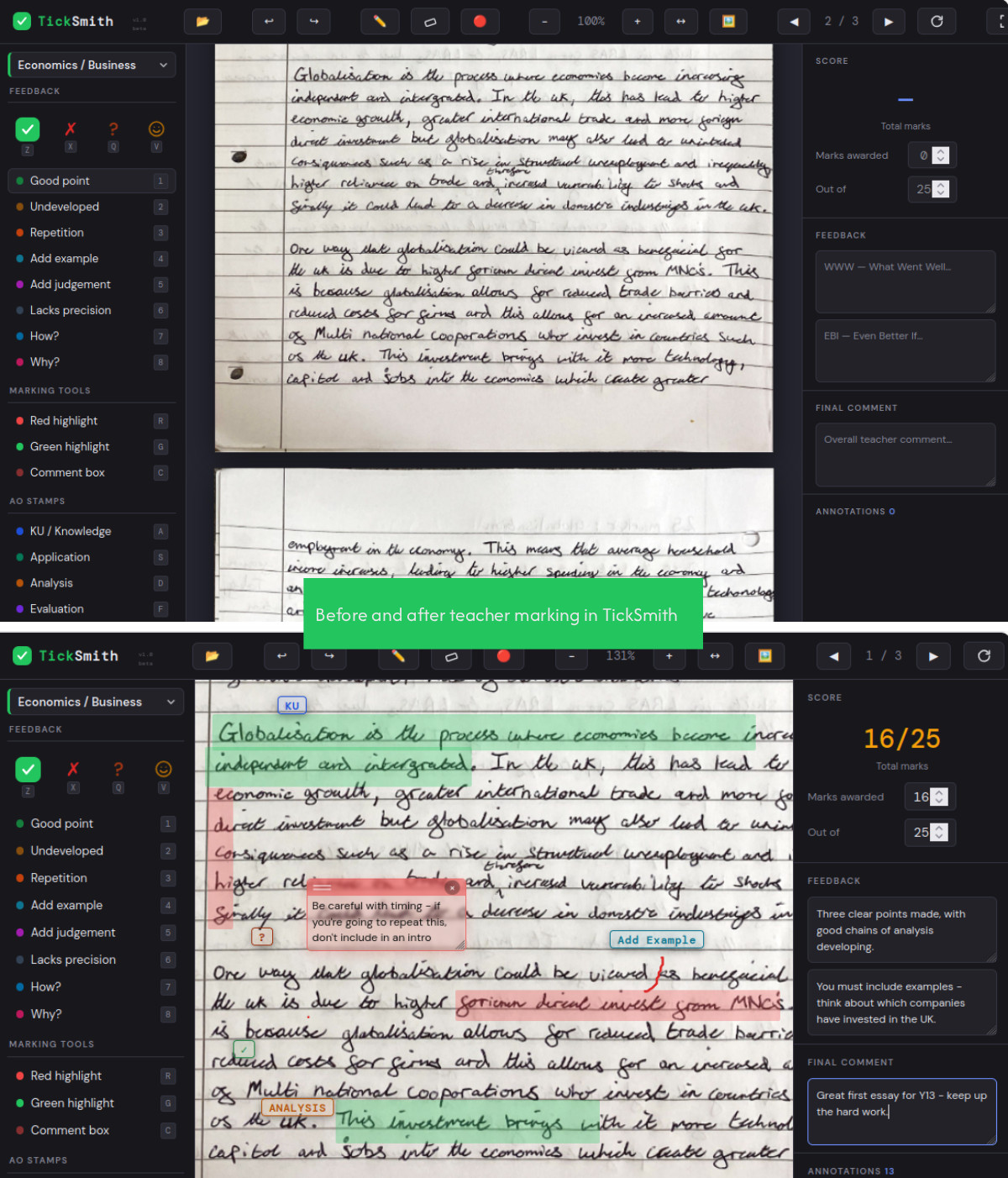
Work through a stack of PDFs with stamps, annotations and WWW/EBI feedback, then export each one back to students - ready to hand back or drop in Teams.
Project a script on screen and mark it live, with a laser pointer for narration - great for modelling how you'd approach a question.
Scan a set of handwritten work on your phone into a PDF, share it to your laptop, then mark it in TickSmith.
Open the Scanner →TickSmith runs entirely client-side - no uploads, no server, no student work ever transmitted anywhere. That means no GDPR headache for you or your school's IT department. How TickSmith handles data
I'm an Economics and Business teacher who understands the value of an efficient marking flow, plus a tool to make student feedback effective - whether for homework or demonstrating in class. After marking as an examiner using legacy software, I had a brainwave that there could be a better tool dedicated to marking and visualising student work on screen. So I built one.
It works two ways: mark PDFs at your own desk and export them back to students (mine submit via Teams), or project it on screen and mark live in front of the class, with a laser pointer for narration.
I'm testing this with a small group of teachers right now - feedback shapes what gets built next.